How to Enter the Mostbet Promo Code HOTGAME and Claim the Welcome Bonus
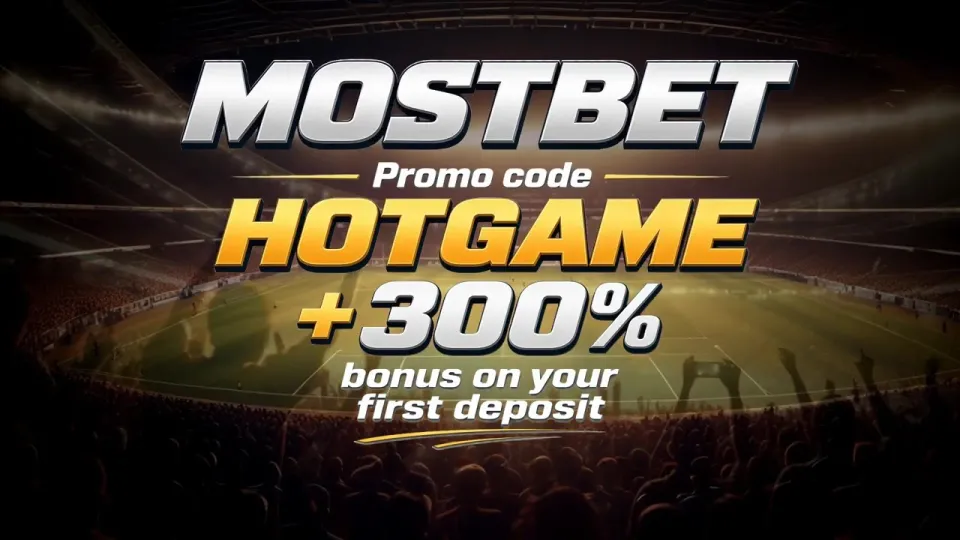
Video: MOSTBET Promo Code HOTGAME: Your No-Nonsense Guide to Entering It Right
· based on the channel ReelNomad
The Mostbet promo code HOTGAME is entered in the promo code box that appears during registration or in the deposit window, and it must be confirmed before the first payment is sent. Typing the code in lowercase, with a space, or after the deposit has already gone through is the most common reason players end up with no bonus at all. You can open the registration page through the Mostbet sign-up link from the video and have the code ready before you start filling in the form.
What the HOTGAME promo code actually does
The HOTGAME code is a welcome offer attached to the first deposit, advertised as a +300% boost on that initial payment. In practice this means the amount you send on your first top-up is multiplied by the bonus percentage, and the resulting bonus funds land in a separate bonus balance rather than in your withdrawable cash. The code itself is not a password and not a login — it is a flag that tells the system to attach the welcome package to your new account. It only works on accounts that have not yet made a deposit, which is why existing players who try to add it later see nothing happen. The offer is aimed at new registrations, and the bonus terms (minimum deposit, wagering requirement, eligible games) are set by Mostbet and can change, so the exact figures should be checked in the bonus terms on the site at the moment you sign up.
How to enter the Mostbet promo code HOTGAME step by step
Enter the code during registration or in the deposit form before confirming the payment, and the bonus attaches automatically once the deposit clears. The sequence matters more than the speed:
- Open the Mostbet registration page through the link provided by the channel and choose your sign-up method (phone, email, or one-click).
- Fill in the country, currency, and your details. Use the currency you will actually deposit in — changing it later is not straightforward.
- Find the field labelled promo code (sometimes shown as a checkbox reading "I have a promo code"). Tick it so the input box appears.
- Type HOTGAME exactly, in capital letters, with no spaces before or after it.
- Complete registration and log in.
- Go to the deposit section, choose a payment method, and enter the amount you want to send as your first deposit.
- Before pressing confirm, check that the promo code field in the deposit window still shows HOTGAME. If it is empty, type it again.
- Confirm the deposit and wait for the balance to update. The bonus should appear in the bonus section of your account.
If the code field is missing entirely, the account was likely created without the promo checkbox enabled, or the deposit is not the first one. In that case, contact Mostbet support before sending money rather than after.
Common mistakes that void the code
Most failed promo code entries come down to four avoidable errors, and none of them require support to fix if you catch them early. First, entering the code after the deposit: the system reads the promo field at the moment the payment is confirmed, so a code typed afterwards has nothing to attach to. Second, typos and formatting — autocorrect on mobile keyboards often turns HOTGAME into something else, or adds a trailing space. Third, creating more than one account to reuse the welcome offer: Mostbet ties bonuses to a single account per person and per payment method, and duplicate accounts risk being closed. Fourth, depositing a token amount to "test" the code: because the bonus is calculated on the first deposit, a small test payment caps the bonus at a small figure. If you want the full +300%, make the first deposit the one you actually intend to play with.
What to check before you deposit
Read the bonus terms before sending money, because the wagering requirement determines whether the bonus is realistically convertible into withdrawable cash. The key figures to look for are the minimum qualifying deposit, the wagering multiplier (how many times the bonus must be played through), the time limit for completing it, and the list of games that count toward wagering — slots usually contribute fully, while table games and live casino often contribute little or nothing. Also check the maximum bet allowed while a bonus is active; exceeding it can void the bonus and any winnings generated from it. Finally, confirm the payment methods that qualify: some deposit options are excluded from welcome offers, and e-wallets in particular are sometimes treated differently from cards or bank transfers.
Questions players ask about the code
The questions that come up most often concern timing, reuse, and what happens when the code seems not to work. Can the code be added after registering but before depositing? Yes — if the promo field is available in the deposit window, entering it there is enough; the account does not need to be recreated. Can the code be used on an account that already has a deposit history? No, the welcome offer is tied to the first deposit only. Does the code work in the mobile app? Yes, the app has the same promo field during registration and deposit, and the same formatting rules apply. What if the bonus does not appear within a few minutes of the deposit? Take a screenshot of the deposit confirmation and the promo field, then contact support — having the evidence ready makes the case much easier to resolve.
Final take on the HOTGAME code
The HOTGAME promo code is a straightforward welcome offer: register, enter the code before the first deposit, and the +300% boost is applied to that payment. The whole process takes a couple of minutes, and the only real risks are typos, entering the code too late, and depositing less than you intend to play with. The ReelNomad channel's short breakdown covers the entry screen and the final checks, which is useful if you want to see the field before you sign up. When you are ready, register at Mostbet with the HOTGAME code and make your first deposit in one go. Treat the bonus as a playing budget with conditions attached, not as free cash, and read the wagering terms before you commit.
Key takeaways
- The promo code is HOTGAME and it is entered in the promo code field during Mostbet registration or in the deposit form.
- The code is advertised as giving +300% on the first deposit.
- The code must be entered before the deposit is confirmed — it cannot be added retroactively.
- The bonus is tied to the first deposit only, so the qualifying payment should be the largest one you plan to make.
- The video breakdown was published by the ReelNomad channel and the sign-up link is kliky.cc/most.
Source: MOSTBET Promo Code HOTGAME: Your No-Nonsense Guide to Entering It Right · Markdown version
Questions & answers
Can I enter the Mostbet promo code HOTGAME after I have already registered?
Yes, as long as you have not made a deposit yet. The promo code field also appears in the deposit window, so you can type HOTGAME there before confirming your first payment. What you cannot do is add the code after the deposit has already been processed.
Why is my HOTGAME promo code not working?
The usual causes are a typo or an extra space added by a mobile keyboard, entering the code after the deposit was confirmed, or using an account that already has a deposit history. Check that the code reads exactly HOTGAME in capitals and that the promo field is filled in at the moment you confirm the payment.
How much is the bonus with the HOTGAME code?
The code is advertised as giving +300% on the first deposit. The exact bonus amount depends on how much you deposit and on the minimum qualifying deposit set in Mostbet's current bonus terms, so check those terms on the site before sending money.
Can I use the HOTGAME code if I already have a Mostbet account?
No. The welcome offer is tied to a new account and its first deposit, so existing accounts with deposit history are not eligible. Creating a second account to claim it again is against Mostbet's rules and risks both accounts being closed.